How I Make AI Films: From an Idea to a Finished Movie
Sean JonPaul Foster shares his All Black Media workflow: learn the craft, write the screenplay, build consistent references, generate shots, edit and finish the sound.

Creator-owned film, shared from the official All Black Media channel.
At the beginning of 2025, Sean JonPaul Foster says his YouTube channel was not monetized and had fewer than 200 subscribers—somewhere in the hundreds, not thousands. He began posting AI videos around June or July and says he became monetized within months. By his September 2026 account, he had thousands of subscribers. That is his testimony, not independently audited channel analytics or a promise that another creator will get the same results.
For Foster, the purpose is making room for Black stories he wants to tell. This tutorial adapts the process he described for All Black Media: develop the screenplay, build consistent visual references, turn approved images into short clips, then edit and finish the sound. The same foundation can support a film, a television episode or another long-form visual story. The tools help with production; the creator still makes the decisions.
Learn filmmaking while you learn the tools
Before buying more credits, invest time in learning the craft. Foster personally recommends YouTube, especially StudioBinder’s channel, as a gateway to understanding how directors direct. Study shot choices, visual storytelling, pacing, coverage and editing alongside the software. Its film coverage guide and Director’s Guide to Shot Listing are useful starting points. This is a learning recommendation, with no sponsorship or certification implied.
Try a small exercise: plan one conversation as a wide shot, two opposing over-the-shoulder views and a close-up that marks an emotional change. Ask what each angle tells the audience. Keep the characters’ screen positions and eyelines understandable. AI can supply possibilities, but developing the judgment to choose between them is part of becoming a filmmaker.
1. Develop the idea, outline and screenplay
Start with an original idea or material you own, such as your own book. Outline what happens, what the main character wants and how the story changes. Then write the screenplay. Foster uses ChatGPT to help draft from his outline and goals, reads the result, critiques it and revises until it matches his intentions. Suggestions are options; he decides what stays.
Before moving into images, check that every scene has a purpose and that dialogue sounds like these particular characters. For an episode, decide what resolves now and what continues. Keep a clearly named approved screenplay so later prompts do not accidentally follow an abandoned version.
2. Build character sheets before scene images
Create all the main character sheets before making scene shots. Foster’s preferred sheet is an overall 16:9 image labeled with the character’s name, age and a few personality traits. Include full-body front, side and back views in a neutral outfit, plus about six square facial headshots showing different emotions. The square headshots sit within the wider reference sheet.
Keep those references available for every relevant shot. Check facial features, hair, build and wardrobe against the approved design rather than accepting a similar-looking replacement. Explicitly set the video output to 16:9, too: a widescreen reference sheet does not automatically set the generator’s aspect ratio or guarantee perfect character consistency.
3. Establish locations and story-specific props
Make reference images for recurring places and important objects: a school’s exterior and classrooms, a ballroom, a busy street, a car interior, a specific vehicle or a meaningful prop. Decide the details once, then reuse them. A door changing sides or a car changing color can disrupt the story even when the actors’ faces look right.
4. Organize the production and share the right files
Organize separate Google Drive folders for the screenplay, characters, locations, props, scene images, generated clips and audio. Give files useful names such as Act2_Scene04_Shot03_v02. Keep approved references separate from rejected experiments, and note which version each shot should use.
To work with ChatGPT, upload the relevant files or use an available, authorized Google Drive connection and identify the exact folder or assets. A Gmail connection does not automatically provide Drive access. Check that the needed files are actually available before asking for work based on them; the assistant should flag a missing reference rather than improvise it.
5. Create shot images and useful dialogue coverage
With the screenplay and reference library ready, build the scene and shot images across Acts 1, 2 and 3. Foster asks ChatGPT to work from those materials, then reviews and adjusts the results. Treat the images as the visual foundation of the film: check faces, outfits, props, lighting and geography before paying to animate them.
For dialogue, make both over-the-shoulder directions, close-ups, reactions and a wide view when the scene needs them. Use an aerial shot when it adds story information, not merely because the generator can produce one. Coverage gives the editor choices: a reaction can carry the meaning of a line, while a wider view can clarify where people are standing.
6. Turn approved stills into video clips
Foster prefers image-to-video because he can approve the starting composition before generating movement. That is his working method, not the only legitimate approach. He mainly uses Kling for basic shots and dialogue, and says he finds its voices relatively consistent. He turns to Seedance for difficult action, fights, complex movement or shots that Kling struggles to deliver. Those are his experience-based preferences, not a universal ranking.
As of this guide’s October 3, 2026 publication, the official Seedance catalogue includes Seedance 2.5. Its launch information names Jimeng AI and Doubao Pro among the rollout destinations. The version and controls available to you depend on the service and account you use; confirm them before budgeting. For still-image problems, Gemini can generate or edit reference images. Keep the jobs distinct: make or repair the still in an image tool, then animate it in a video tool. Alternative tools are options for output or technical limitations, while their content rules still apply.
Kling’s Motion Control is another option worth learning: provide a character image and a suitable motion-reference video to guide actions and expressions. Its current guide also describes facial-element references. Review the output carefully; facial references do not by themselves preserve clothing and props. For a transition such as a person crossing the lens to hide a scene change, plan the outgoing and incoming compositions together, then refine the join in the editor.
7. Work manually or use assistance one scene at a time
The first route is manual: prompt a shot, generate it, review it and decide whether to keep or revise it. Use multi-shot controls when they help organize a sequence, but write down the intended framing, action and dialogue for each shot. Do not treat a polished-looking first result as approval for every later one.
The second route is to have ChatGPT prepare shot prompts and help organize the work, beginning with one scene. Where your account has supported tools and authorized connections, an agent may assist with additional production tasks. Availability varies: every account cannot control every video service or desktop editor. Use the service’s secure sign-in flow when needed, never a password pasted into chat. Review prompts and generated results before expanding to the next scene.
8. Give dialogue room to breathe
Foster usually prefers clips up to about 10 seconds, with roughly 3–5 seconds for a simple slow zoom. These are creative working preferences, not product limits. Leave a little time before and after speech so a line is not rushed to fill the generation. Read the dialogue aloud: if it takes 15 seconds naturally, do not demand it in a 10-second shot. Split it or use a longer suitable shot.
A shorter clip can make a mistake easier to isolate and replace, although it is not automatically cheaper in every pricing system. Check speech speed, pauses, mouth movement and whether the intended speaker actually delivers the line. An otherwise beautiful take is not ready if it changes the meaning of the conversation.
9. Budget for revisions and practice
Foster recalls that an allowance of around 26,000 Kling Ultra credits was not enough for a one-hour film using his workflow and retries. That is his reported experience, not a current plan specification. Estimate from finished, usable footage rather than the number of generations. Record what each scene costs, reserve room for rejected takes and pickups, and check current pricing before committing.
His suggested preparation and production window is two to three months, depending on the project. It is a planning suggestion, not a completion guarantee. You may learn basic controls quickly; developing convincing performances and a coherent long-form film takes practice. A completed short scene is a useful first milestone before attempting an hour.
10. Edit the clips into a story
Bring the accepted clips into your video editor. Arrange them into scenes, trim beginnings and endings, pace conversations and add transitions where they serve the story. Watch the sequence, not just individual clips: two good shots may still cut badly together. Identify missing reactions, establishing views or object details, then generate those pickups with the same references.
If an available AI tool produces a rough assembly, treat it as a starting point. Review its order, timing and missing material yourself. ChatGPT can explain editing steps and help diagnose a confusing sequence without necessarily controlling your editing application. Keep earlier cuts so an experiment does not erase a version that worked.
11. Build and balance the soundtrack
Foster mainly uses ElevenLabs, and sometimes MiniMax, for his audio work, while often retaining dialogue generated in Kling. ElevenLabs offers text-to-speech, sound-effect generation and music creation; its music tools support instrumentals, songs with vocals and editing lyrics, including lyrics you supply. Plan dialogue, ambience, effects and score as separate layers so you can adjust them independently.
Keep each character’s voice identity consistent. If replacing dialogue, check the timing against the picture and use voice-reference or lip-sync features only where your chosen tool actually supports them. Listen for abrupt changes in loudness or room sound, and lower music when it masks speech. Use voices, music and visual assets you have permission to use, checking the applicable commercial-use terms. A clear conversation matters more than a loud soundtrack.
12. Review the finished film and keep the originals
Watch the complete 16:9 export from beginning to end. Look for changing faces, clothes and props; unnatural speech; pacing problems; rough cuts; missing sound; and incorrect credits. Keep the screenplay, reference library, original generations, audio, edit project and dated exports. Those materials make corrections and future versions much easier. Filmhub can be a later distribution topic; finishing a film does not guarantee acceptance by a distributor.
A reusable shot-prompt template
Sample template—not a prompt from one of Foster’s films: Scene and shot: [Act / scene / shot number]. References: [approved character, location, prop and starting-frame filenames]. Output: 16:9, approximately [duration] seconds, image-to-video. Framing and movement: [shot size, camera position and one clear movement]. Action and performance: [what changes, with the intended emotion]. Dialogue: [speaker and exact line, timed aloud]. Sound: [room tone and necessary effects; specify whether music is wanted]. Continuity: [wardrobe, eyeline, prop position, lighting and ending pose]. Timing: [a natural pause before and after the line].
A compact production checklist
Before generating: screenplay approved; references named; shot purpose clear; dialogue timed; cost checked. Before editing: takes reviewed; continuity checked; missing shots listed; audio organized. Before release: complete export watched; sound balanced; permissions and credits checked; source files and versions backed up.
Watch and listen to All Black Media
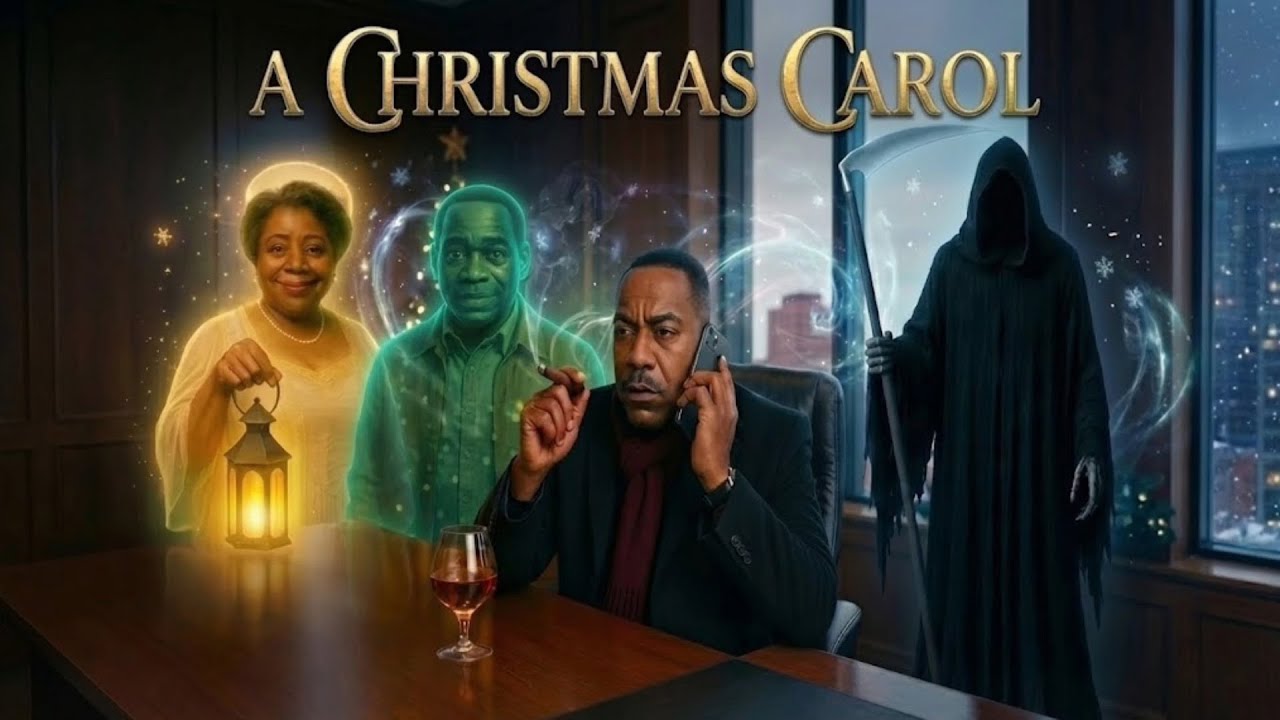
Explore Foster’s public work on All Black Media. A Black Christmas Carol is listed on his channel as a full family Christmas movie. The Race Switch project links to the audio-story video currently titled “Black and White Switch- Audio Book- Fantasy Short Story”; that link is not evidence of a released Race Switch feature film. The players below load only when you choose to watch.

Audio-story reference linked from the Race Switch project; not a released feature-film link.
For Black creators, the opportunity is practical: develop the stories you own, build your skills and make work you can stand behind. Start with one scene that communicates what you intended. Learn from it, improve it and carry that judgment into the next scene.
Adapted from Sean JonPaul Foster’s September 2026 account. Subscriber growth, monetization timing, tool preferences and credit use are his personal testimony, not audited results or reader earnings promises. Product guidance and public video records checked October 3, 2026.
Published by The Black Angle. Editorial standards & corrections.
The conversation (0)
Bring your perspective. Keep it thoughtful, relevant, and respectful. Community guidelines
Sign in or create an account to comment under your username. You can also comment as a guest; guest names are not verified.
Loading the conversation…